2 minute read
After installing Windows 8 I tried to do a couple of things that I normally do to set up my computer.
I went to enable “Remote Desktop”… but there was no options. Hmm…
I wanted to make a change to the “Local Security Settings…”. Hmmm…
Both of these things were missing and I started to google bing for information on how to change a setting. And, lo and behold I found:
If you are troubleshooting why secpol.msc does not seem to exist in your copy of Windows 7, then the reason is probably that you have the Home Premium version; unfortunately you need to upgrade, or else try another machine that does have the Ultimate Edition.
-Secpol: Local Security Policy Editor
But I have Windows 8 Pro? But no… alas I dropped the ball and installed “Windows 8”. Full stop… and not “Windows 8 Pro”…
How do you tell? Simples…
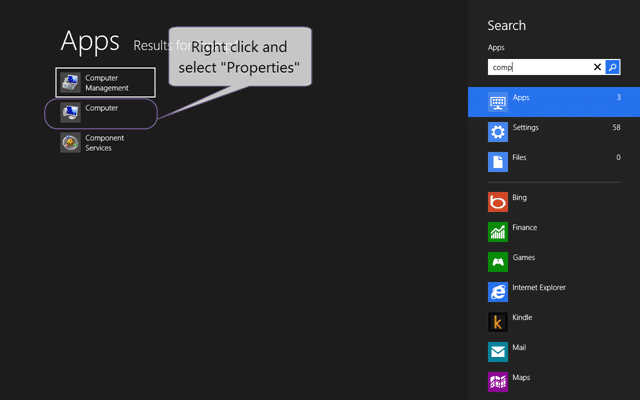
Figure: View the Properties of “Computer”
Which will open the system information about your computer. This will tell you lots of things of use on bare metal, but as this is a Hyper-V box there is little of import. Except the edition of Windows…
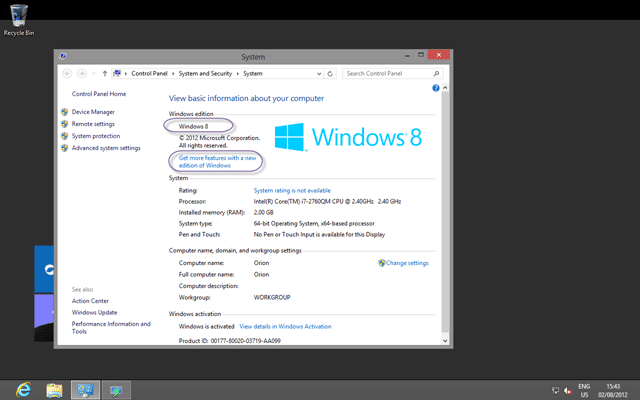
Figure: Aww nuts… Windows 8 (only)
I did think that I needed to reinstall, but I thought that should at least give the “Add features” a try…
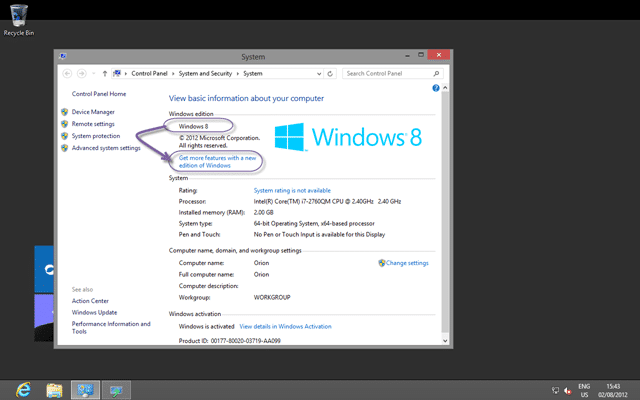
Figure: Get more features the easy way
You will get asked for a key for the new and higher edition of Windows 8 that you want to move to.
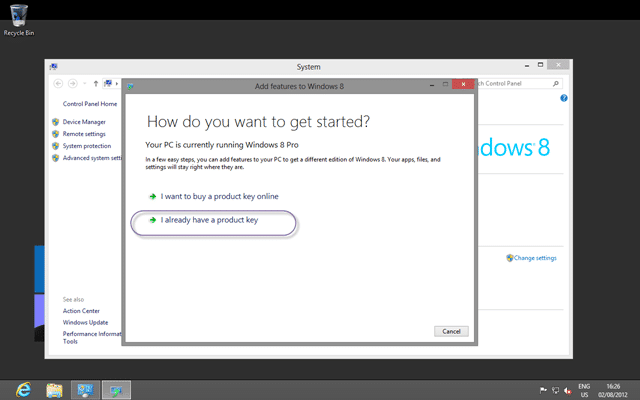
Figure: But I already have a nice MSDN key at the ready?
You will likely just have selected the wrong key from your MSDN and you can select “I already have a product key” and enter the new one.
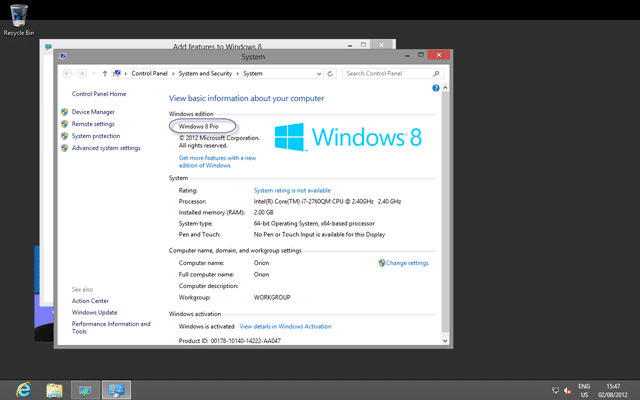
Figure: Phew… Windows 8 Pro
Lets just check that we can indeed access the goods…
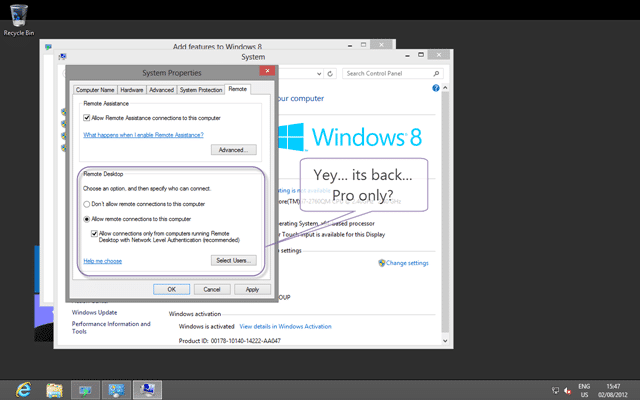
Figure: Why is this a Pro only feature?
I was quite happy not to have to reinstall, but you can choose what you want to do. My suggestion is to use a Pro key the first time round!
Did you install the wrong version of Windows?
How easy was it for you to fix it?
Subscribe to Martin's articles
Writing since 2006
Articles, usually weekly on Mondays. One click to leave.
Enjoyed this? One click, no account.
Smart Classifications
Each classification [Concepts, Categories, & Tags] was assigned using AI-powered semantic analysis and scored across relevance, depth, and alignment. Final decisions? Still human. Always traceable. Hover to see how it applies.